Skip to content

Honest comparison

Upscayl alternative: upscale online, without installing anything

Upscayl is an excellent free desktop upscaler, if your computer has a suitable graphics card. PhotoRescue does the work on our servers, in any browser, and adds a model for noisy phone photos. Here is an honest comparison.

  • Checked October 2026
  • Where they are better, too
  • No affiliate links

Facts about other products checked on 9 October 2026 on their own websites. Prices change; check before you buy. PhotoRescue is not affiliated with any product on this page.

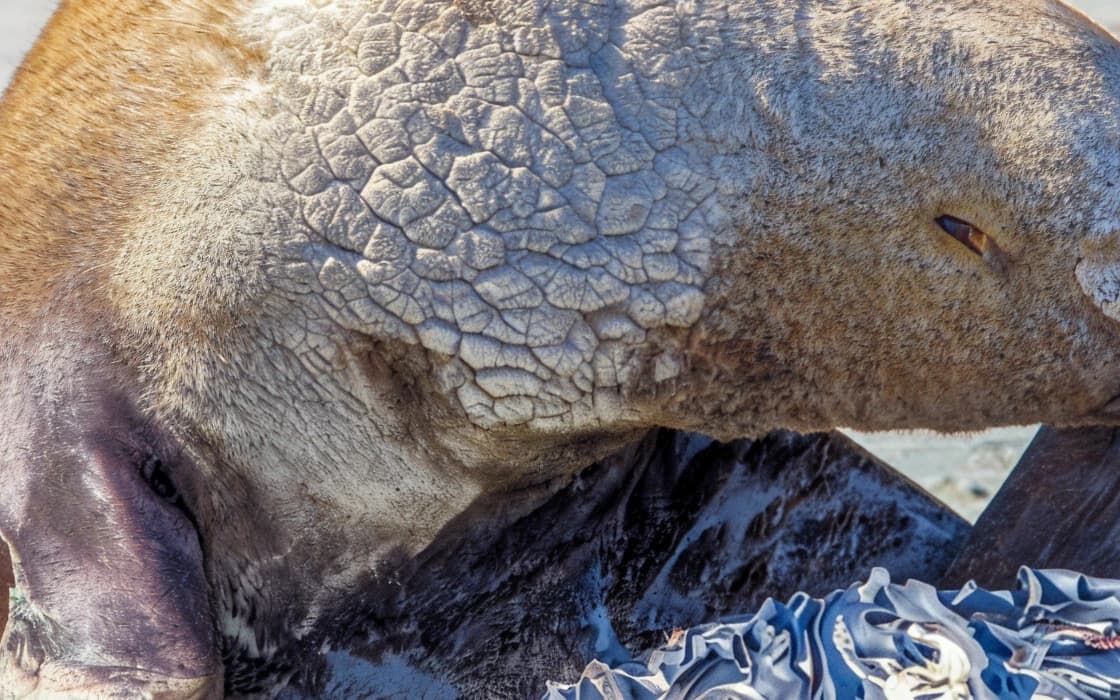
Seal on the ice: After
Seal on the ice: Before
BeforeAfter

Upscale 4× · 480×320 → 1920×1280 · 100% crop

Left: the 480 × 320 px original with a standard resize. Right: PhotoRescue Upscale 4×. · Photo: Andreas Sjövall / Unsplash

The short answer

Choose Upscayl if…

  • You want free and unlimited: the desktop app costs nothing, with no daily cap and no watermark.
  • Your photos must never leave your computer: Upscayl runs offline.
  • You have a Vulkan-capable graphics card and like choosing between models, including community custom models.
  • You need batch upscaling of folders on your own machine.

Choose PhotoRescue if…

  • You are on a phone, a tablet, a work laptop or a computer without a suitable GPU.
  • Your photos are noisy night shots or chat-app copies: Enhance cleans them at the same size, which an upscaler alone is not built for.
  • You want 8× from a small image (up to 1.25 MP in, 2 credits) without tuning anything.
  • You only need a few photos now: 3 free credits a day, no account.

Upscayl vs PhotoRescue

Upscayl vs PhotoRescue
UpscaylPhotoRescue
Where it runsDesktop app for Windows, macOS and Linux; needs a Vulkan-compatible GPU (most integrated graphics do not work, per the project)In the browser, on any device; nothing to install
PriceFree and open source (AGPL-3.0). Separate paid service Upscayl Cloud: Pro $24.99/month for 300 creditsPro $9.99/month (200 credits), Pro+ $19.99/month (500 credits); 3 free credits a day, no sign-up, watermarked, up to 3 MB / 8 MP; 1 credit per photo; Upscale 8× uses 2
ModelsReal-ESRGAN-based models (e.g. High Fidelity, Remacri, UltraSharp), plus custom modelsEnhance (same size: phone noise and chat-app compression), Upscale 4×, Upscale 8×
ScaleIncluded models are 4×; the website advertises up to 16×1× (Enhance), 4×, 8×
Maximum outputLimited by your hardware on desktop; Upscayl Cloud Pro up to 256 MPUp to 80 MP (4× from inputs up to 5 MP, 8× from inputs up to 1.25 MP)
BatchYesPaid plans, up to 50 photos at once
PrivacyDesktop: offline, files stay on your computerUploaded to our servers, deleted within 24 hours
Latest desktop releasev2.15.0, 25 December 2024 (GitHub releases)Web app, updated continuously

Sources: upscayl.org, upscayl.org/pricing, github.com/upscayl/upscayl and its releases page, checked 9 October 2026.

What PhotoRescue's output looks like

100% crops from our own models, so you know what you are comparing against. We do not show Upscayl results here: run your own photo through both instead (see below). More in the gallery.

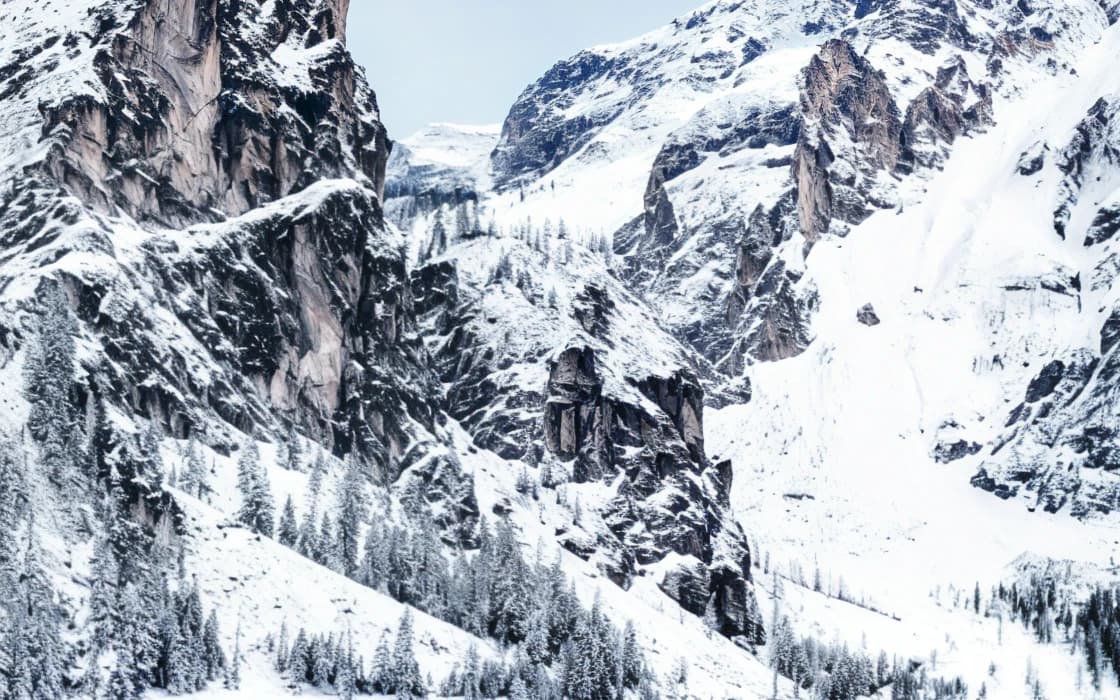
Cabin on a mountain lake: After
Cabin on a mountain lake: Before
BeforeAfter

Upscale 4× · 600×400 → 2400×1600 · 100% crop

Cabin on a mountain lakeLeft: the 600 × 400 px original with a standard resize. Right: PhotoRescue Upscale 4×. · Photo: Daniele Franchi / Unsplash
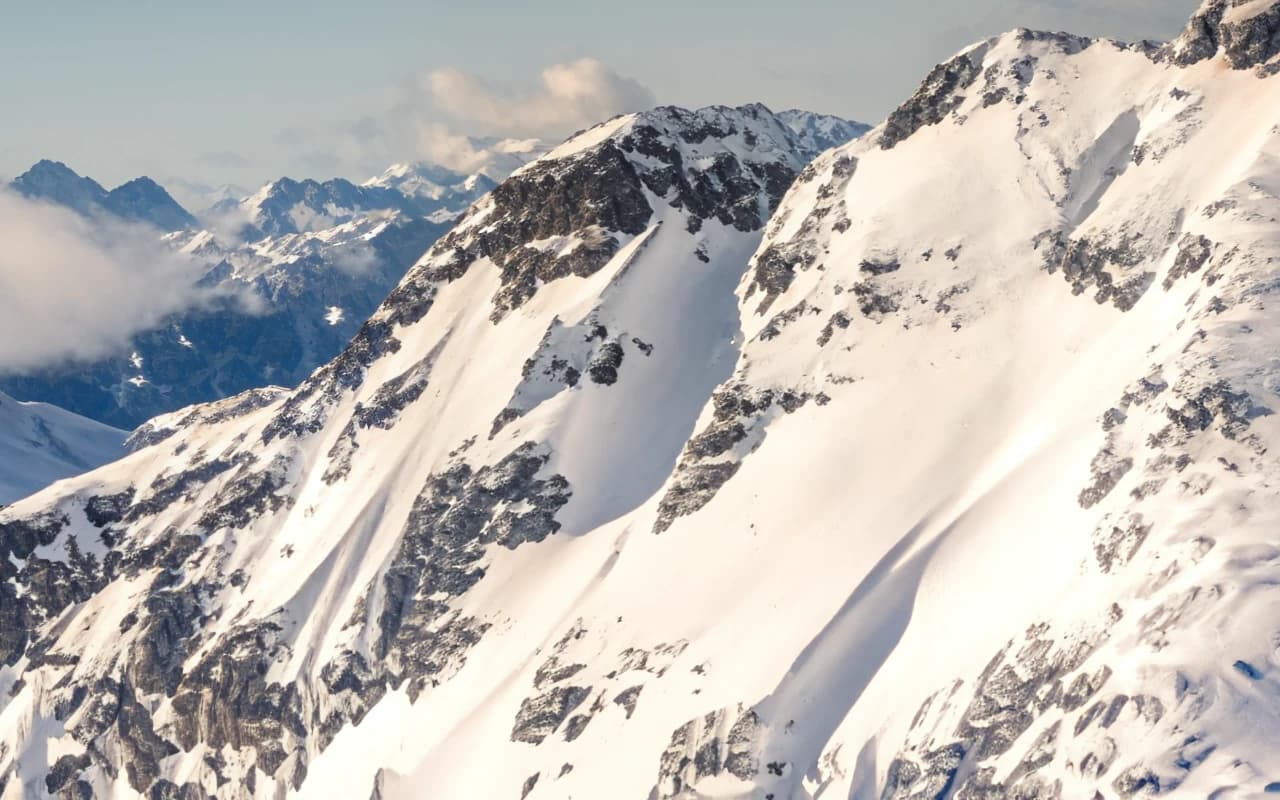
Snowfield and ridge: After
Snowfield and ridge: Before
BeforeAfter

Upscale 8× · 320×214 → 2560×1712 · 100% crop

Snowfield and ridgeLeft: the 320 × 214 px original with a standard resize. Right: PhotoRescue Upscale 8×. · Photo: Ernest Imoesi / Unsplash
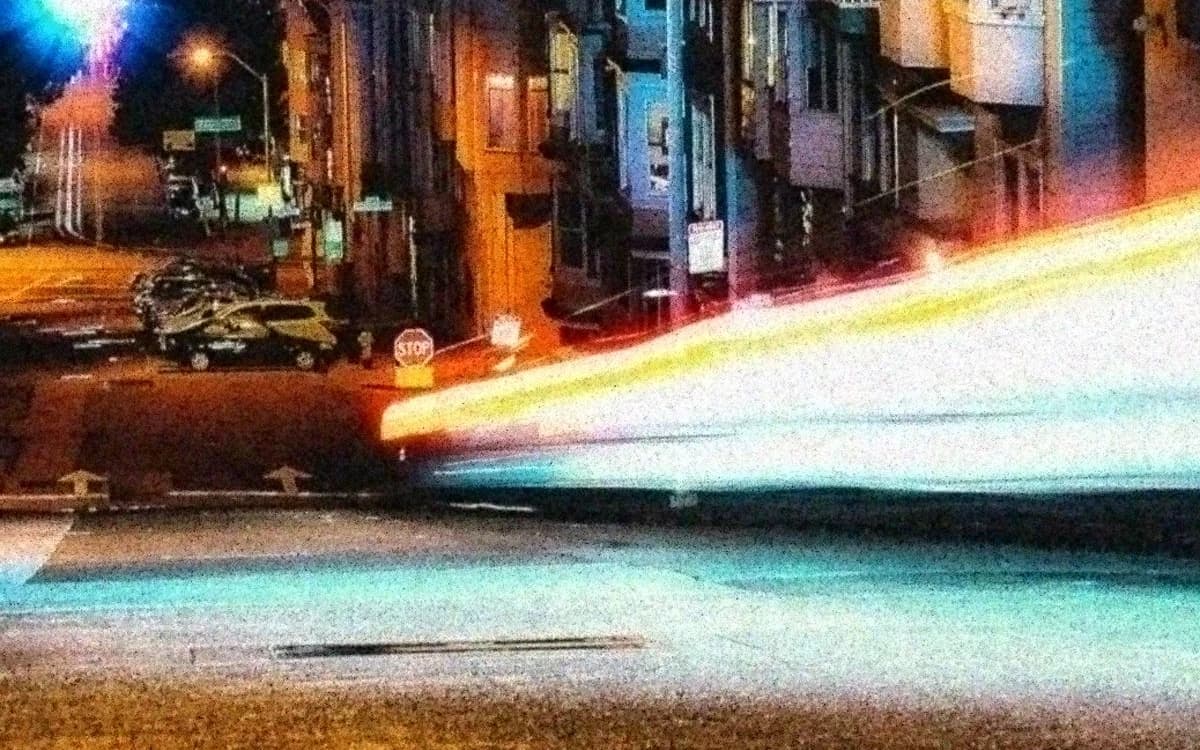
Light trails on a hill street: After
Light trails on a hill street: Before
BeforeAfter

Enhance · simulated phone photo · 100% crop

Light trails on a hill streetLeft: a clean photo run through our phone simulator (low light, chat-app compression). Right: Enhance, same size. · Photo: Casey Horner / Unsplash
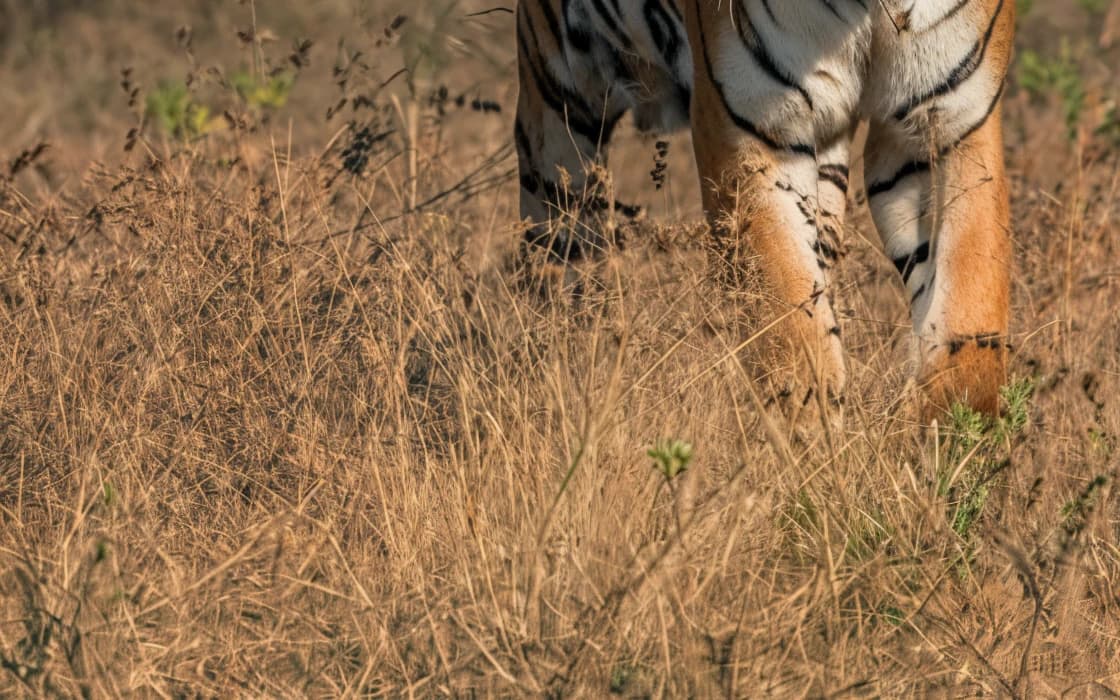
Tiger in tall grass: After
Tiger in tall grass: Before
BeforeAfter

Upscale 4× · 400×600 → 1600×2400 · 100% crop

Tiger in tall grassLeft: the 400 × 600 px original with a standard resize. Right: PhotoRescue Upscale 4×. · Photo: Keyur Nandaniya / Unsplash

What Upscayl does well

Upscayl is one of the best things to happen to free image upscaling. It wraps the open Real-ESRGAN family of models in a clean desktop app for Windows, macOS and Linux, it is open source under the AGPL-3.0 licence, and the desktop version is free with no account, no watermark and no limit on how many images you process.

Because it runs on your own computer, nothing is uploaded. For confidential work, or simply for people who would rather not send family photos to a server, that is a real advantage that no web tool, ours included, can match. It also processes whole folders in batch and lets advanced users load community models tuned for particular content.

If you have a capable graphics card and a lot of images, Upscayl is hard to beat on cost. We would rather say that plainly than pretend otherwise.

Where Upscayl gets harder

It needs the right hardware. The project states that Upscayl requires a Vulkan-compatible GPU and that most integrated graphics will not work. On a laptop without a dedicated GPU, a Chromebook, a locked-down work computer or a phone, the desktop app is not an option. Upscayl Cloud exists for this, but it is a paid service (Pro is $24.99 a month for 300 credits, with outputs up to 256 MP) and the trial requires an application.

It upscales, it does not clean phone damage. The included models are general upscalers. They sharpen and enlarge what is in the file, which works well on clean images. A grainy night photo or a WhatsApp copy full of blocks needs the damage removed at the same size before any enlargement; otherwise the blocks and grain get enlarged too. That is the job of our Enhance model, and it is the main reason to use PhotoRescue even if you also use Upscayl.

Releases have slowed. The latest desktop release on GitHub when we checked was v2.15.0, from 25 December 2024. That is not a problem in itself, since the app works, but newer models will not arrive through updates as often.
Where PhotoRescue is different

PhotoRescue is a web app: you drop a photo into the page and the processing runs on our GPUs, so it works the same on a phone as on a desktop. Three models cover the common cases: Enhance for grainy and chat-app-compressed phone photos at the same size, Upscale 4× for most enlargements (inputs up to 5 MP), and Upscale 8× for small images headed for a poster (inputs up to 1.25 MP, 2 credits). Output goes up to 80 MP.

The trade-off is cost and privacy. After 3 free credits a day you pay per month, and your photo is uploaded to our servers, where it is deleted within 24 hours. It is never used to train AI.

A useful workflow if you already use Upscayl: run noisy or chat-app photos through Enhance first, then upscale them wherever you prefer.

How to compare Upscayl and PhotoRescue on your own photo

Benchmarks on someone else's pictures tell you little about yours. A fair test takes ten minutes:

  1. Pick two or three photos you actually need to fix: the small one, the noisy one, the one with a face or text.
  2. Run each through Upscayl and through PhotoRescue at the same scale. Our free plan needs no account; results carry a watermark, which does not get in the way of judging quality.
  3. Open both results side by side at 100% zoom, not fitted to the screen. Look at edges, faces, foliage and any lettering.
  4. Ask two questions: does it look natural, and is it still the same photo? Extra crispness that changes a face or invents letters is not an improvement.

Try PhotoRescue on your photo

Free: 3 free credits a day, no sign-up, watermarked, up to 3 MB / 8 MP. Choose Enhance for grainy or chat-app-compressed phone photos, Upscale 4× or 8× to make a photo bigger.

Questions

Is there an online version of Upscayl?

Yes: Upscayl Cloud, a paid service (Pro is $24.99 a month for 300 credits when we checked). The desktop app itself is free but needs a Vulkan-capable GPU.

Does Upscayl work without a graphics card?

The project says it needs a Vulkan-compatible GPU and that most integrated GPUs will not work. Web tools such as PhotoRescue run on the server, so they work on any device.

Is Upscayl better than PhotoRescue?

For free, unlimited, offline upscaling on a computer with a good GPU, yes. For phone photos with grain or chat-app compression, or when you cannot install software, PhotoRescue is the better fit.

Is PhotoRescue free?

Partly: 3 free credits a day, no sign-up, watermarked, up to 3 MB / 8 MP (1 credit per photo; Upscale 8× uses 2). Paid plans: Pro $9.99/month (200 credits), Pro+ $19.99/month (500 credits), without watermark and with uploads up to 20 MB / 30 MP.

What happens to my photos on PhotoRescue?

Uploads and results are deleted automatically within 24 hours. They are never used to train AI.