Skip to content

Honest comparison

ImgUpscaler alternative

imgupscaler.ai is a popular all-in-one web upscaler with a generous free tier. PhotoRescue is narrower: three main models for photos, including one for noisy and compressed phone photos. Here is where each one is the better choice.

  • Checked October 2026
  • Where they are better, too
  • No affiliate links

Facts about other products checked on 9 October 2026 on their own websites. Prices change; check before you buy. PhotoRescue is not affiliated with any product on this page.

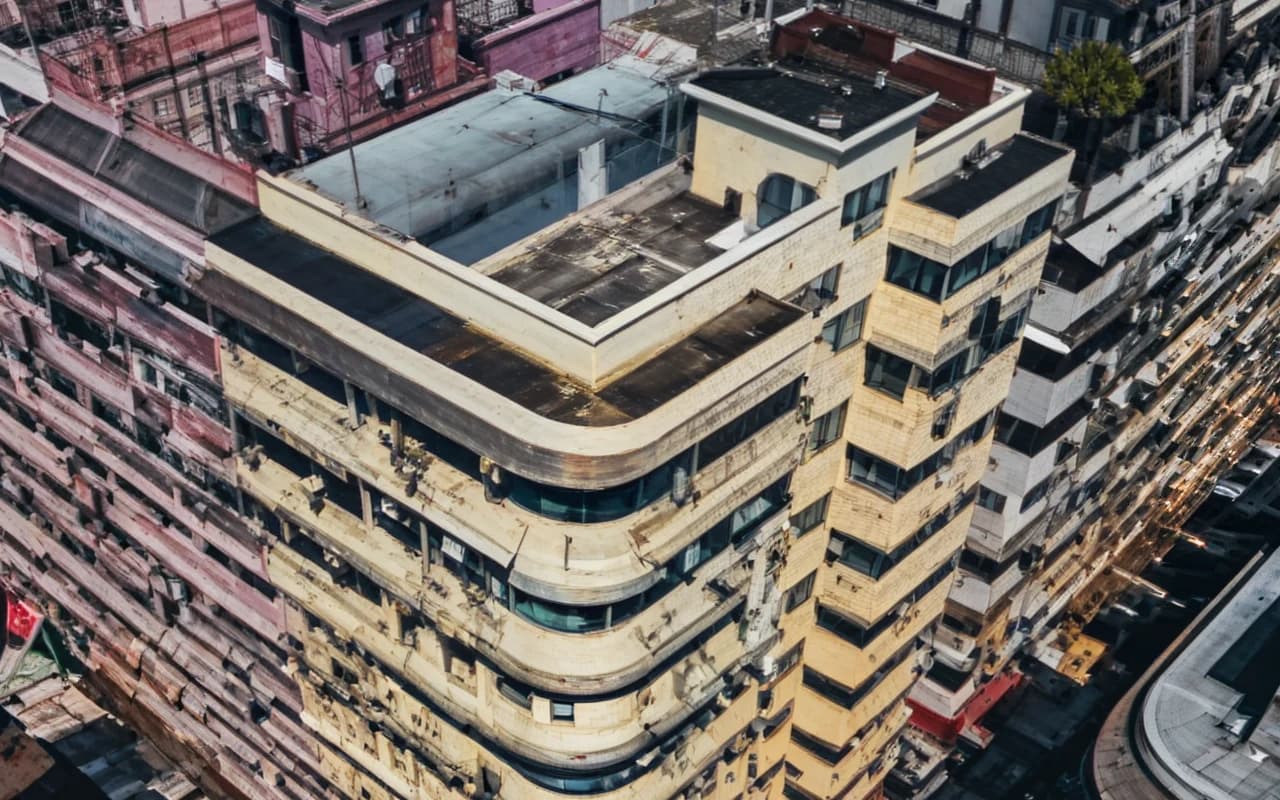
Apartment block from above: After
Apartment block from above: Before
BeforeAfter

Upscale 8× · 213×320 → 1704×2560 · 100% crop

Left: the 213 × 320 px original with a standard resize. Right: PhotoRescue Upscale 8×. · Photo: twk tt / Unsplash

The short answer

Choose ImgUpscaler if…

  • You want more free images without a watermark: 6 free a day when we checked, and its site says no watermark.
  • You need many tools in one place: it offers 20+ tools including restoration, unblur and video upscaling.
  • You prefer credits that never expire (its one-time packs).
  • You work with HEIC files or need 16K presets.

Choose PhotoRescue if…

  • Your problem is a noisy night photo or a WhatsApp copy and you want it fixed at the same size, without changing the photo's look.
  • You want 8× from a small photo of a landscape or building (up to 1.25 MP in, 2 credits), output up to 80 MP.
  • You want real 100% crops before you upload anything: every example in our gallery is shown at full resolution.
  • You prefer a simple monthly plan: a fixed number of credits each month, cancel anytime.

ImgUpscaler vs PhotoRescue

ImgUpscaler vs PhotoRescue
ImgUpscalerPhotoRescue
Websiteimgupscaler.ai (not to be confused with the separate imgupscaler.com)photo-rescue.com
Free6 free images a day, no sign-up required, no watermark (per its site)3 free credits a day, no sign-up, watermarked, up to 3 MB / 8 MP
PaidCredits: subscriptions about $0.017-0.026 per credit; one-time packs about $0.012-0.018 per credit that never expire; Enterprise with APIPro $9.99/month (200 credits), Pro+ $19.99/month (500 credits)
Output sizesPresets up to 4K, 8K or 16K4× or 8× of your photo, up to 80 MP; Enhance keeps the size
Credits per imageNot stated clearly on its pricing page1 credit per photo; Upscale 8× uses 2
Batch2-20 imagesPaid plans, up to 50
FormatsJPG, PNG, WebP, HEICJPG, PNG, WebP
Other tools20+ (restoration, unblur, photo-to-anime, video upscaler and more)Enhance, Upscale 4×, Upscale 8×

Sources: imgupscaler.ai and imgupscaler.ai/pricing, checked 9 October 2026. Credits per image were not stated clearly, so we quote prices per credit.

What PhotoRescue's output looks like

100% crops from our own models, so you know what you are comparing against. We do not show ImgUpscaler results here: run your own photo through both instead (see below). More in the gallery.

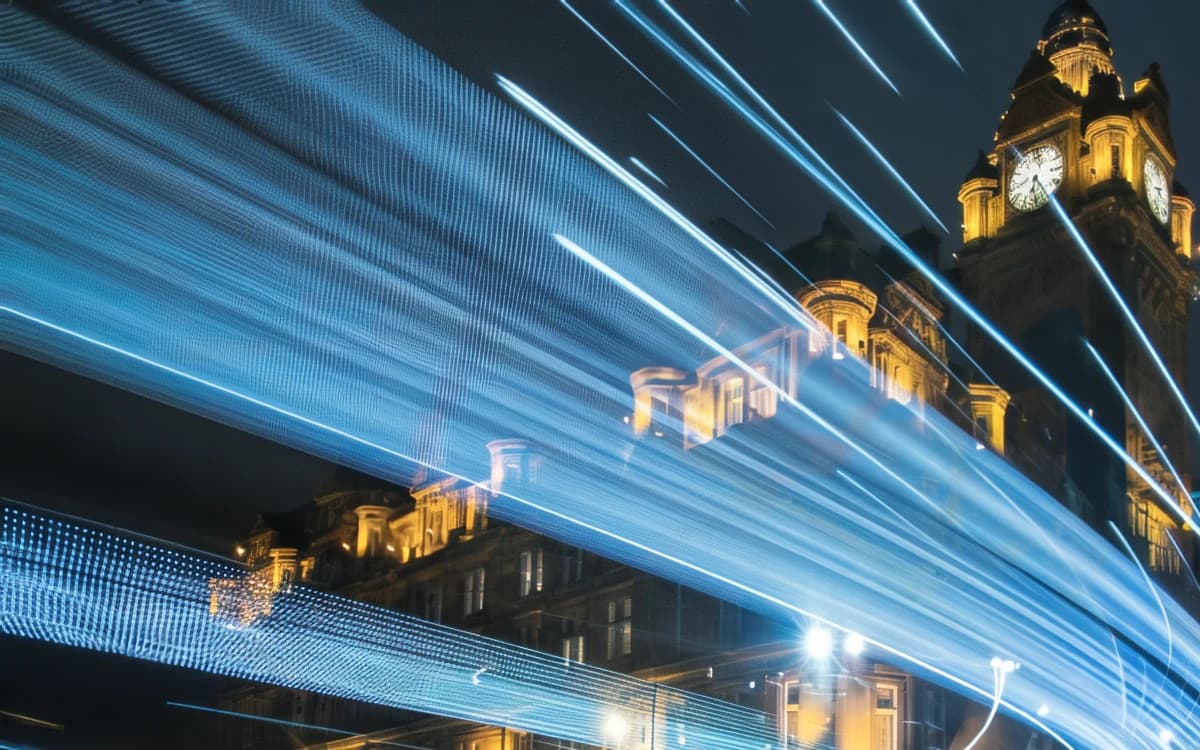
Clock tower and light trails: After
Clock tower and light trails: Before
BeforeAfter

Enhance · simulated phone photo · 100% crop

Clock tower and light trailsLeft: a clean photo run through our phone simulator (low light, chat-app compression). Right: Enhance, same size. · Photo: Roan Lavery / Unsplash
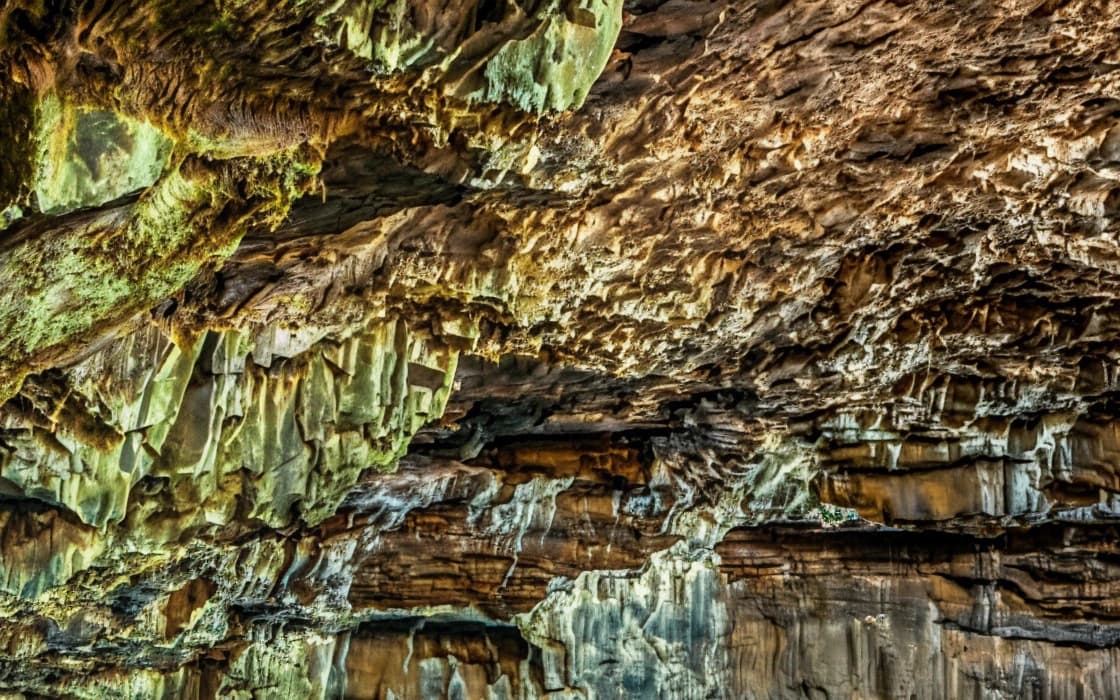
Cave lake: After
Cave lake: Before
BeforeAfter

Upscale 4× · 480×320 → 1920×1280 · 100% crop

Cave lakeLeft: the 480 × 320 px original with a standard resize. Right: PhotoRescue Upscale 4×. · Photo: Christian Joudrey / Unsplash
Rock spires at sunrise: After
Rock spires at sunrise: Before
BeforeAfter

Upscale 8× · 320×208 → 2560×1664 · 100% crop

Rock spires at sunriseLeft: the 320 × 208 px original with a standard resize. Right: PhotoRescue Upscale 8×. · Photo: 🧔‍♂️ Michal Kmeť / Unsplash
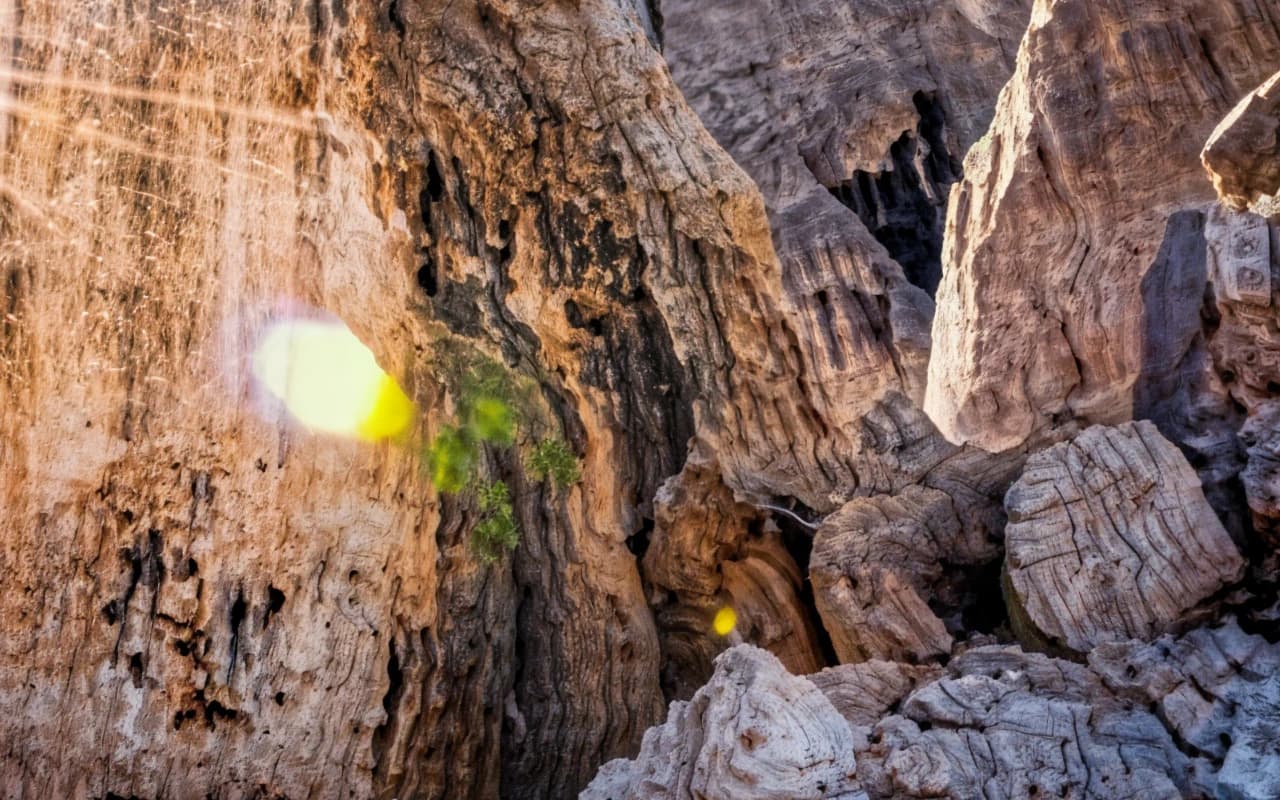
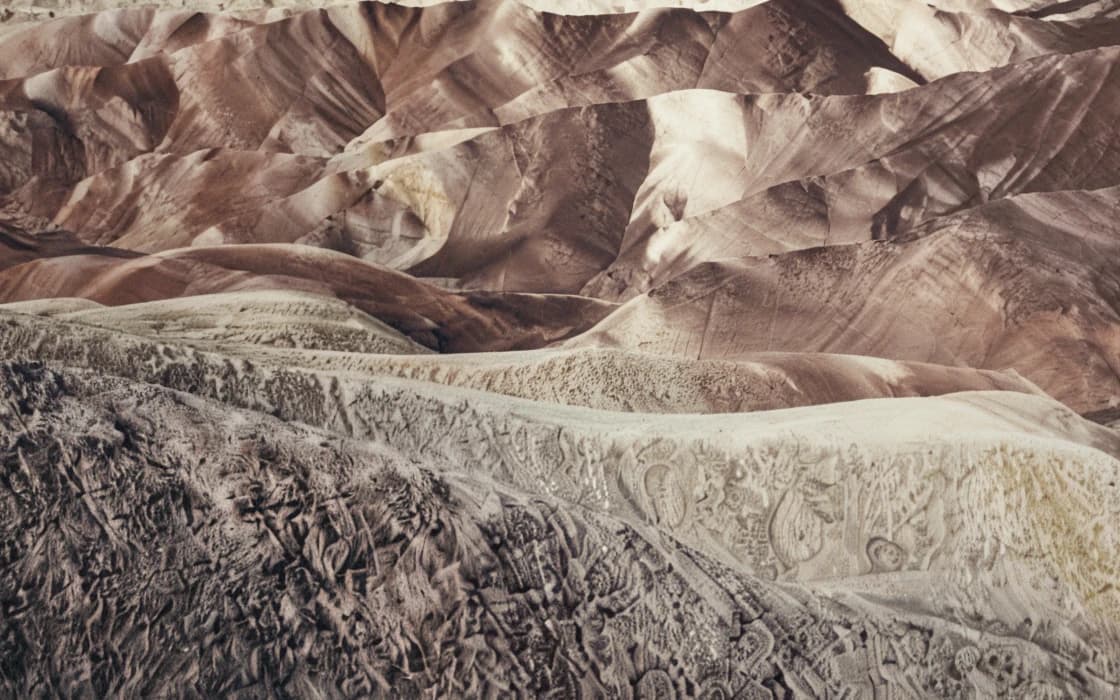
Badlands ridges: After
Badlands ridges: Before
BeforeAfter

Upscale 4× · 480×300 → 1920×1200 · 100% crop

Badlands ridgesLeft: the 480 × 300 px original with a standard resize. Right: PhotoRescue Upscale 4×. · Photo: Luca Bravo / Unsplash

What ImgUpscaler does well

imgupscaler.ai is one of the most visible web upscalers, and for good reasons. You can use it without signing up, its pricing page listed 6 free images a day when we checked, and its site says results carry no watermark. That is more generous than our free tier, which gives 3 credits a day with a small watermark on results.

It is also broad. Besides upscaling to presets up to 16K, it offers a long list of tools, from old photo restoration and unblurring to photo-to-anime and a video upscaler. It accepts HEIC files straight from an iPhone, batches up to 20 images, and sells credit packs that never expire, which suits people who upscale in occasional bursts.

If you want one site for many different image jobs, or the most free images per day, ImgUpscaler is the better pick.

Where PhotoRescue is different

We do fewer things on purpose. Enhance is a model for one very common problem: phone photos that come out grainy, blotchy and smeared in poor light, and then get compressed by a chat app. It removes that damage at the same size and keeps the lighting and colours, so a night photo stays a night photo. For many people with a disappointing phone photo, that, not a bigger file, is what they need.

Our upscalers are judged at 100% on photographs. Upscale 8× in particular is built for small images that need to become large prints: landscapes, nature and buildings, with output up to 80 MP. Each example on this page states the exact input and output size.

Our pricing is a monthly plan: Pro is $9.99 for 200 credits, Pro+ $19.99 for 500. One photo uses 1 credit; an 8× upscale uses 2.

Which one should you use?

  • A clean image you just need bigger, now, for free: either works; ImgUpscaler's free tier gives you more images without a watermark.
  • A grainy indoor or night phone photo: start with PhotoRescue Enhance.
  • A WhatsApp or Messenger photo full of blocks: Enhance first; see how to fix WhatsApp photo quality.
  • A thumbnail of a landscape headed for a poster: compare both, then check the print size with our print calculator.
  • Video, anime styles or many different tools: ImgUpscaler.

How to compare ImgUpscaler and PhotoRescue on your own photo

Benchmarks on someone else's pictures tell you little about yours. A fair test takes ten minutes:

  1. Pick two or three photos you actually need to fix: the small one, the noisy one, the one with a face or text.
  2. Run each through ImgUpscaler and through PhotoRescue at the same scale. Our free plan needs no account; results carry a watermark, which does not get in the way of judging quality.
  3. Open both results side by side at 100% zoom, not fitted to the screen. Look at edges, faces, foliage and any lettering.
  4. Ask two questions: does it look natural, and is it still the same photo? Extra crispness that changes a face or invents letters is not an improvement.

Try PhotoRescue on your photo

Free: 3 free credits a day, no sign-up, watermarked, up to 3 MB / 8 MP. Choose Enhance for grainy or chat-app-compressed phone photos, Upscale 4× or 8× to make a photo bigger.

Questions

Is imgupscaler.ai free?

Its pricing page listed 6 free images a day without sign-up when we checked, and its site says there is no watermark. Paid use is by credits.

Are imgupscaler.ai and imgupscaler.com the same?

No. They are separate websites. This page compares imgupscaler.ai.

Which is better for night photos?

PhotoRescue's Enhance was trained specifically on phone noise and chat-app compression and keeps the night look. We have not tested imgupscaler.ai on the same photos, so try yours on both and compare at 100%.

Is PhotoRescue free?

Partly: 3 free credits a day, no sign-up, watermarked, up to 3 MB / 8 MP (1 credit per photo; Upscale 8× uses 2). Paid plans: Pro $9.99/month (200 credits), Pro+ $19.99/month (500 credits), without watermark and with uploads up to 20 MB / 30 MP.

What happens to my photos on PhotoRescue?

Uploads and results are deleted automatically within 24 hours. They are never used to train AI.